 GiBud
GiBud
A full rebuild of gibud.no, a Norwegian online auction marketplace: a Next.js platform plus a Flutter app I built solo.
- Role
- Junior Full-Stack Developer at P23 · sole developer of the mobile app
- Year
- 2025
- Type
- Full-stack
- Status
- Shipped
$ cat brief.md# In short
- The problem
- GiBud sells and auctions goods in Norway. The website existed; the native app people would actually bid from did not.
- My contribution
- I was the only developer on the Flutter app (architecture, state management and every screen), and I also built or changed the API routes it depends on for auctions, bids, cart, checkout and purchases. In a team of four, I helped colleagues work through problems they were stuck on and reviewed pull requests.
- Result
- The web platform is live in Norway. The mobile app is built and release-ready, waiting on its Google Play release.
- Web platform
- Live at gibud.no
- Mobile app (Flutter)
- Release-ready, not yet published on Google Play
$ stats --summary# In numbers
- 1
- developer on the mobile app: architecture, state and release build
- 11
- app screens, from browsing and bidding to cart and checkout
- Live
- bidding over Ably: price, history and countdown update in place
- 22
- API routes I built or changed on the web platform
$ ls screens/# Screens (tap one to enlarge)
Mobile app: browse & bid (6)
The Flutter app I built on my own. Browse categories, open an item, bid or buy it out, and follow every bid live.
Mobile app: cart & checkout (3)
Won and Buy Now items go to the cart, then through checkout into purchases.
Mobile app: inbox & chat (2)
Messages and notifications, with real-time chat between buyers and sellers.
Mobile app: My GiBud (6)
Everything about your account, buying and selling in one place.
Website on a phone (4)
The live site, responsive down to phone size. (These are the website, not the native app.)
$ ls desktop/# On desktop
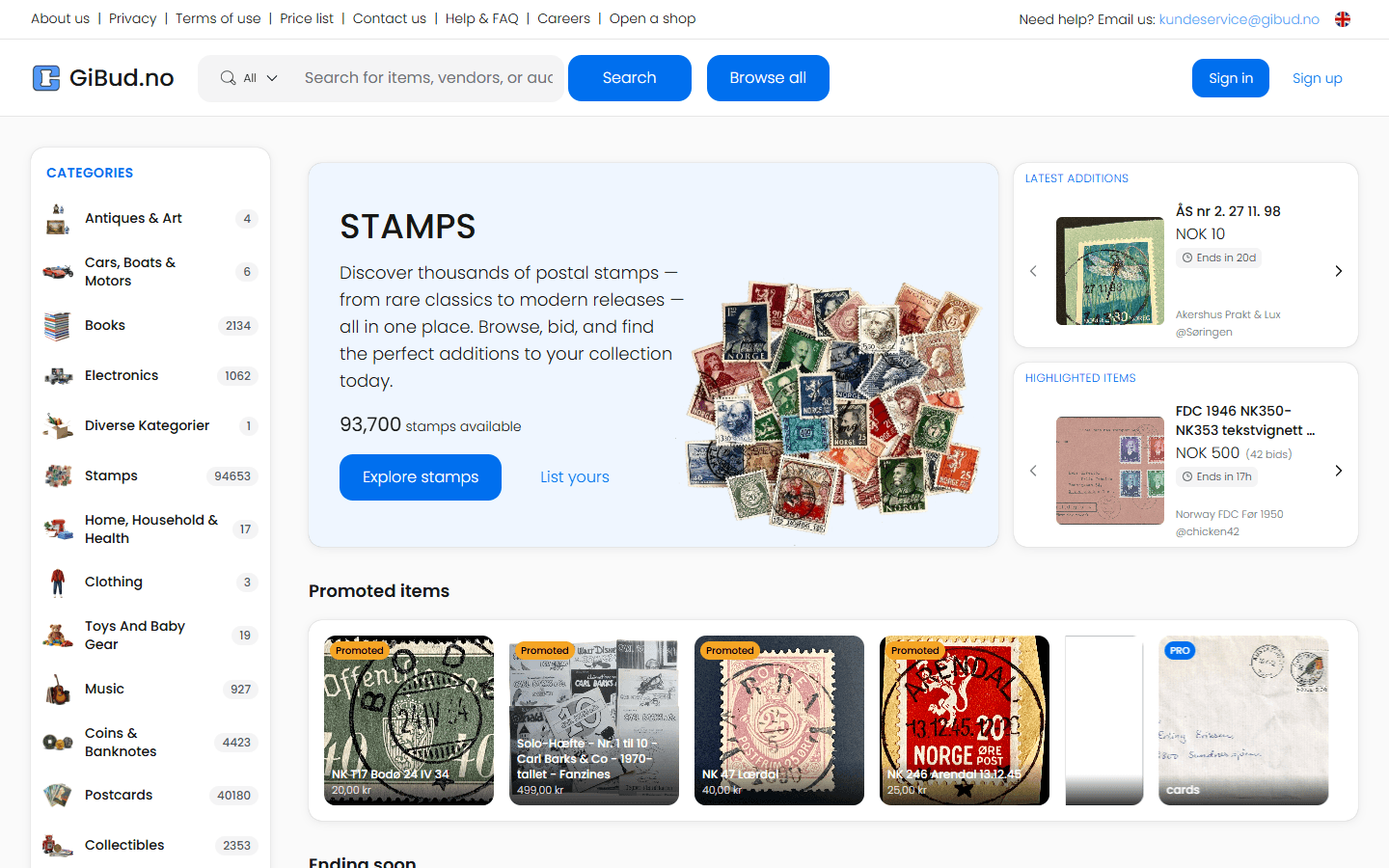
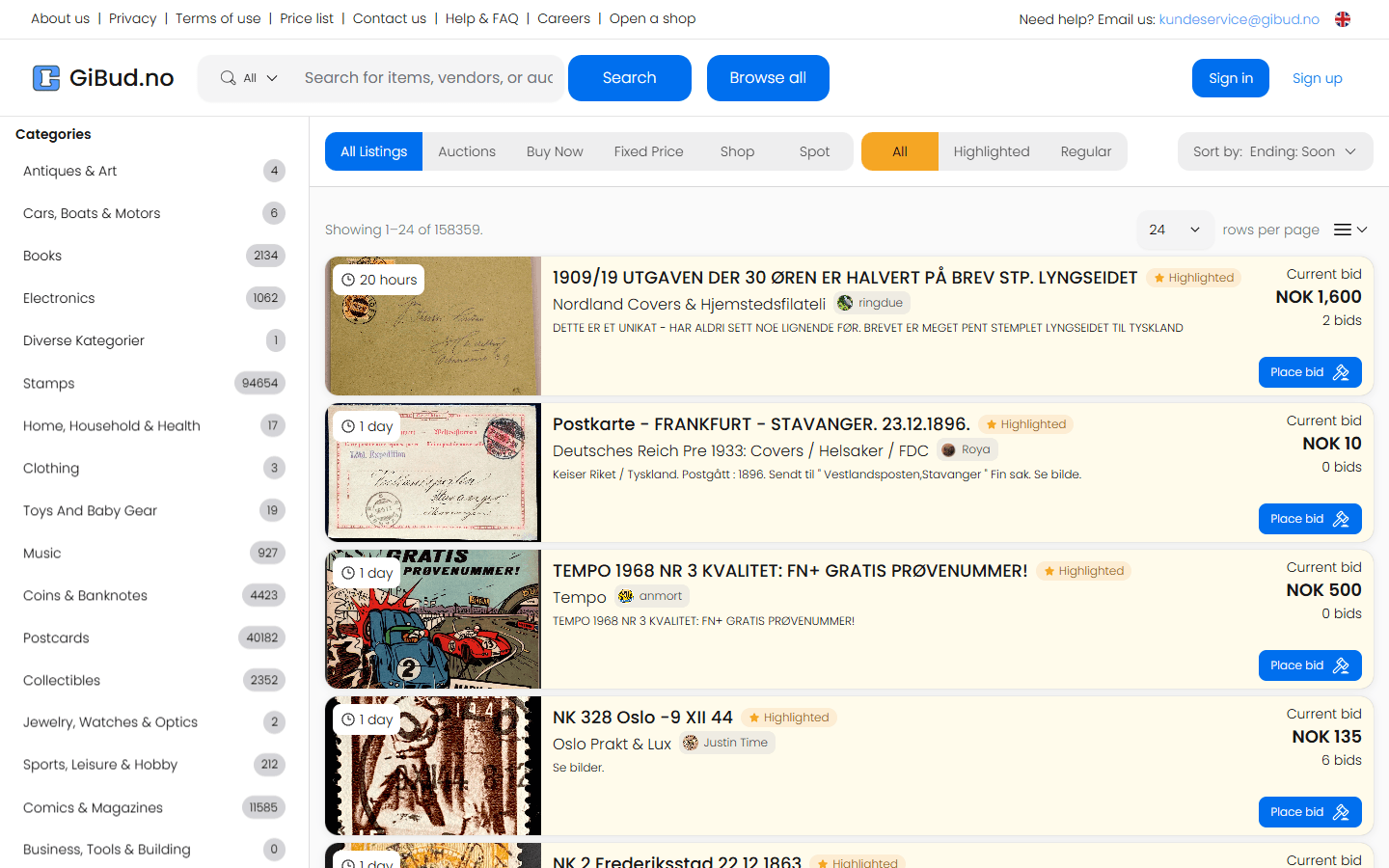
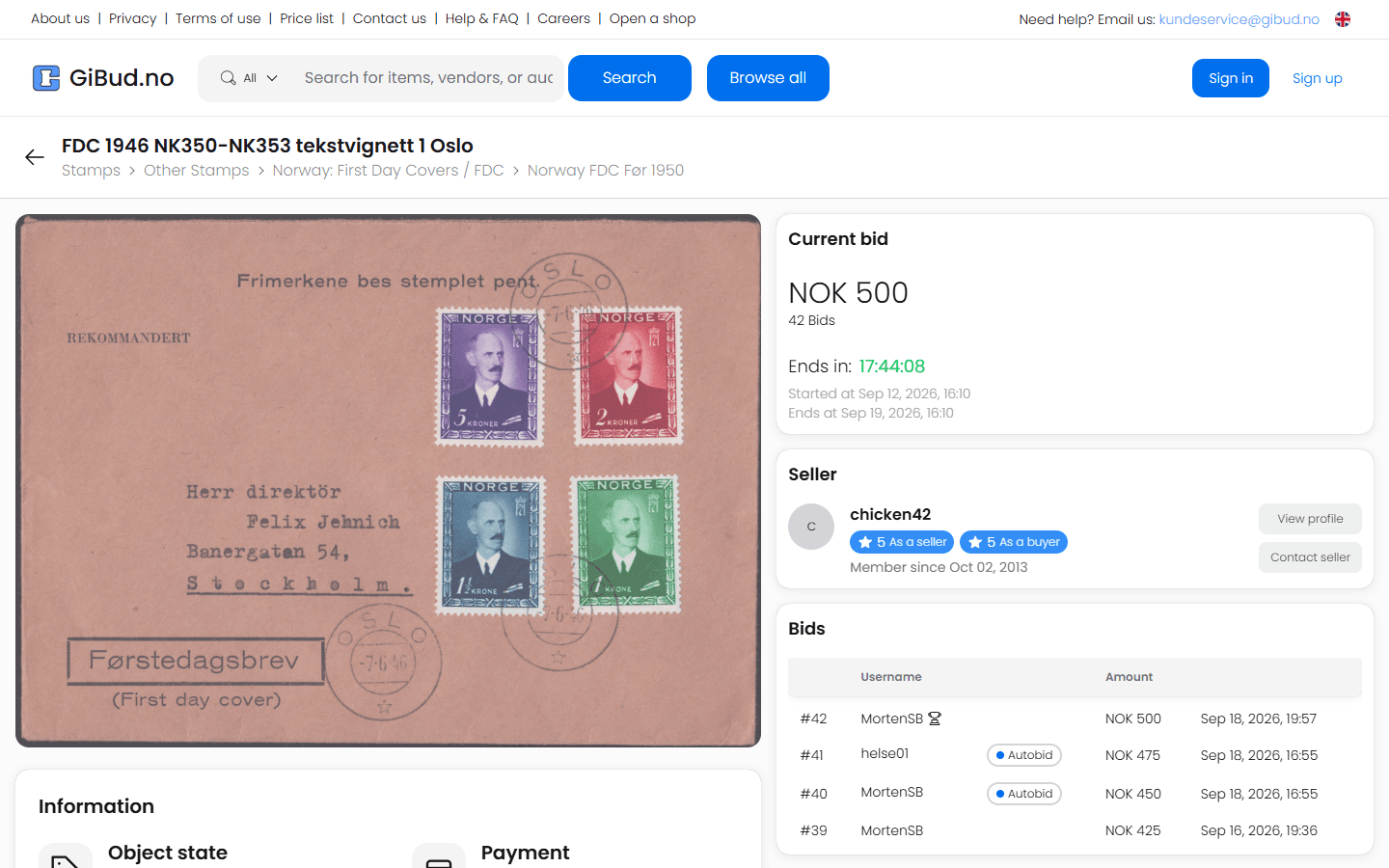
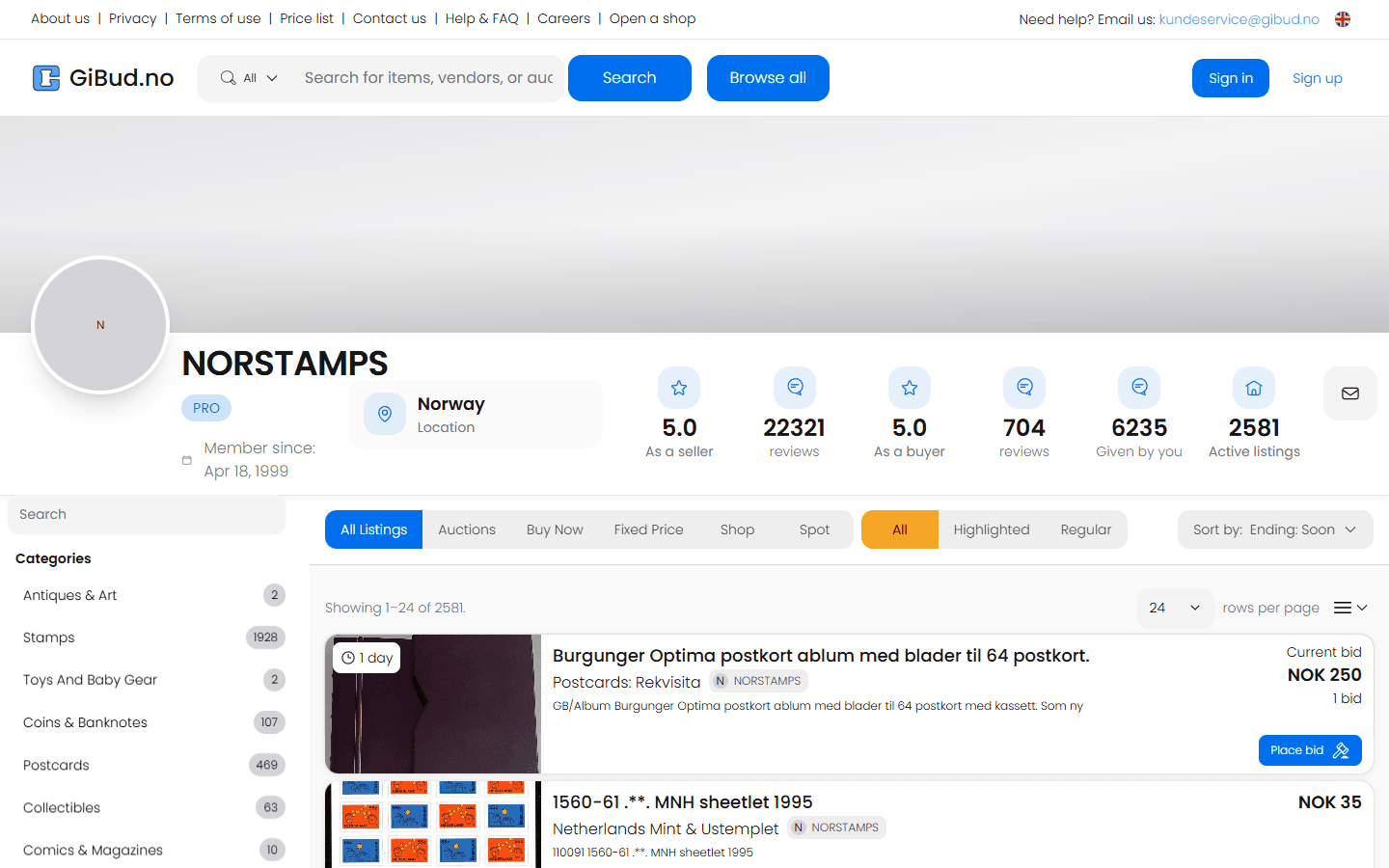
$ cat README.md# System overview
GiBud is a Norwegian marketplace where people list items and sell them by auction. As part of my job at P23, we rebuilt it from the ground up as one Next.js codebase that serves the public site, an admin dashboard and a versioned API for the mobile app.
I built the GiBud mobile app on my own in Flutter for iOS and Android, and worked across the backend and the seller side of the web platform: the API the mobile app uses to browse auctions, place bids and check out, the checkout that turns a cart into purchases, item listings with media storage, invoices for sellers and the chat endpoints. The new website is live at gibud.no, and the mobile app is heading to Google Play soon.
$ tree architecture/# How it fits together
Clients
Mobile app
Built solo
Flutter for iOS and Android. BLoC, go_router, SQLite cache.
Website
Next.js public site: browse, bid, buy and sell, plus seller invoices.
Admin dashboard
Refine-based back office inside the same Next.js codebase.
One Next.js codebase
Versioned API /api/v1
Built mobile endpoints
Thin routes call repositories that own validation and business logic. Auctions, bids, cart, checkout, purchases, chat.
Data & services
PostgreSQL + Prisma
Users, items, auctions, bids, carts, purchases, invoices.
Cloudflare R2
Item photos and media.
Ably
Real-time bids and chat.
Auth0
Sign-in, with legacy account migration.
$ cat flow.log# How it flows
- 1.
Browse · App · Web
Home, categories and search load from /api/v1. The app keeps categories cached in SQLite, so they open instantly.
- 2.
Bid · Ably
A bid is placed through the API, and the new price, bid history and countdown update live on every open screen.
- 3.
Add to cart · API
Won auctions and Buy Now items collect in the buyer's cart.
- 4.
Check out · Prisma
One database transaction turns the cart into purchases and snapshots each item's title and image, so the order stays accurate.
- 5.
After the sale · Web · Chat
The sale appears in the seller's "My sales", where they generate an invoice. Buyer and seller can chat about delivery.
$ git log --author=amar# My contribution
- Built the GiBud mobile app alone in Flutter for iOS and Android: sign-in, home and categories, search, item pages, bidding, cart, checkout, chat, selling and a "My GiBud" area for bids, listings, purchases and sales.
- Live auctions on the phone: prices, bid history and countdowns update in real time over Ably on item screens and in "My active bids".
- App architecture: BLoC for state, get_it for dependency injection, go_router for navigation, typed DTOs generated with json_serializable, and a token store for authenticated API calls.
- Categories cached on the device in SQLite, and data refreshed automatically when the app comes back to the foreground.
- Selling from the phone: pick photos from the camera or gallery and upload them with a new listing.
- Built versioned REST endpoints for the mobile app: auction items by category, item details, placing bids and bid history, a user's active bids and own listings, cart, checkout and purchases.
- Checkout that turns a cart into purchases inside a single Prisma transaction, snapshotting each item's title and image so orders stay accurate after listings change, then clearing the cart.
- Item listing flow with categories and media stored on Cloudflare R2 through its S3-compatible API.
- Invoice designer on the "My sales" page: sellers pick sales, set the customer, currency and tax, and generate an invoice.
- Chat API routes plus an Ably token endpoint for real-time direct messages.
- Evolved the Prisma schema with migrations and seed data as features landed.
- Followed the codebase's architecture: thin API routes, repositories that own validation and business logic, request IDs and structured logging to Sentry.
$ cat fixed-bugs.md# Challenges I solved
Bids change constantly, and a stale price on a phone means someone loses an auction.
Item screens and "My bids" subscribe to Ably channels, so the price, bid list and countdown update live. Data also refreshes when the app comes back to the foreground.
Checkout touches several tables. A failure halfway would leave a cart half-bought.
Placing an order runs in one Prisma transaction: it creates the purchases, saves each item's title and image, and clears the cart, or it does nothing at all.
Categories load on almost every screen but rarely change.
The app caches them on the device in SQLite, so the home screen opens instantly, even on a slow connection.
One developer, one app, a long feature list.
A strict structure (data repositories, one BLoC per screen, get_it for dependencies, go_router for navigation, generated JSON models) kept 200+ files easy to work in.
$ cat learned.txt# What I learned
- Owning a whole mobile app alone, from the first commit to checkout.
- Designing an API from the client's side: what the phone needs, in as few calls as possible.
- Real-time systems: pushing changes to the app instead of asking the server again and again.
- Using transactions and saved snapshots for anything that involves money.
$ cat package.json# Stack
Flutter · Dart · BLoC · Next.js 15 · React 19 · TypeScript · Prisma · PostgreSQL · Auth0 · Cloudflare R2 · Ably · Sentry · Tailwind CSS